Product Marketing
How to Turn a Website or SaaS URL into TikTok Slideshow Ideas
Extract positioning, pain points, and audience angles automatically with AI.
By Rachel, Founder and product editor · 9 min read · Published July 30, 2026 · Reviewed September 2, 2026
Key takeaways
- Slizo builds a source-grounded product brief from supported statements on a public landing page.
- It proposes three distinct content directions for review before creating finished slideshows.
- Clear landing-page copy gives the system better evidence and makes human fact-checking easier.
Quick answer
Quick answer
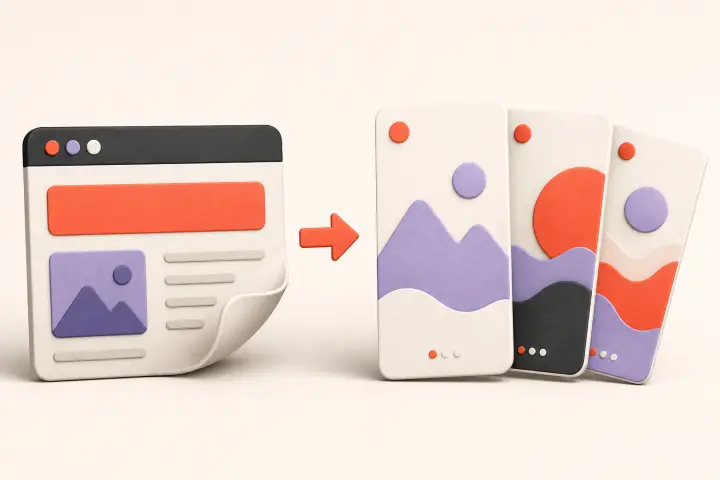
Turn a website into TikTok ideas by treating each supported page element as source material: the audience becomes the viewer, a real problem becomes the hook, one documented capability becomes the teaching point, and an FAQ or objection becomes the next content angle. The goal is not to summarize the homepage—it is to translate one useful, verifiable idea at a time.
A product landing page can provide a useful starting brief for TikTok content, but generated ideas are only as reliable as the evidence on that page. Slizo extracts supported product details and instructs generation to avoid risky or unsupported claims; you should still review every result.
How Slizo Parses Your URL
When you enter a public URL, Slizo analyzes visible page content and metadata to identify the product, audience, purpose, supported features, and claims. It should produce a structured brief, not simply paraphrase the page. Review that brief because landing pages can be incomplete, ambiguous, or outdated—and a polished generation can still misunderstand weak source copy.
Choose the Right Source Page
Use the page with the clearest evidence for the content you want. A homepage is useful for positioning; a feature page is better for a workflow; an FAQ exposes objections; a case study can support results only when the evidence and publication consent are valid. Do not feed a pricing or login page into the system merely because it is easy to find.
| Source page | Best content use | Main risk |
|---|---|---|
| Homepage | Audience, category, core problem, and positioning | Broad copy may produce broad ideas |
| Feature page | Step-by-step workflow and capability explanation | Features may be mistaken for guaranteed outcomes |
| FAQ | Question hooks, objections, and setup guidance | Answers may be outdated or too brief |
| Pricing | Who each plan is designed for | Prices and limits can change quickly |
| Case study | Evidence-led story or before-and-after process | Requires proof, context, and publication permission |
Map Page Evidence to Content
| Website element | Content question | Possible hook direction |
|---|---|---|
| Audience line | What moment does this person recognize? | the admin task freelance tutors repeat every Friday |
| Problem statement | What goes wrong before the product appears? | why client feedback keeps arriving in four places |
| Feature | What supported workflow can you demonstrate? | a three-step way to collect approvals in one thread |
| FAQ | What is the buyer unsure about? | before switching scheduling tools, check this setting |
| Limitation | Who should not use this approach? | when a lightweight tracker is not enough for your team |
A Worked SaaS Example
Imagine a fictional SaaS called QueueNote. Its page says it helps small support teams turn unresolved conversations into an organized follow-up queue. It documents assignment, due dates, and status views. It does not claim to reduce response time or revenue churn. A useful slideshow should remain inside that evidence.
- 1.
Audience moment
A support lead begins Monday with customer promises spread across inboxes and notes.
- 2.
Hook
'the Friday promise that disappears by Monday morning' opens a recognizable problem without claiming a result.
- 3.
Body
The middle slides explain a capture, owner, due-date, and status-review routine.
- 4.
Product role
QueueNote appears only where its documented assignment and status features support the routine.
- 5.
CTA
The final slide invites the reader to save the checklist or inspect the workflow—no invented customer outcome required.
Review Three Content Directions
- A practical explanation: teach one specific workflow or decision supported by the product brief.
- A relatable situation: describe an audience problem without inventing a personal experience or result.
- A product-supported outcome: connect an explicitly documented capability to a realistic use case.
Keep Generated Claims Honest
Separate what the page explicitly supports from what sounds plausible. A calendar integration can support 'connects to your calendar' if documented; it cannot support 'eliminates missed meetings' without evidence. Customer logos do not prove a specific result. A price on the source page should not appear in evergreen creative unless someone owns the update process. Keep a prohibited-claims list alongside the approved brief.
- Do not invent percentages, time savings, revenue, rankings, ratings, or user counts.
- Do not convert a feature into a guaranteed outcome.
- Do not write first-person experience the publisher did not have.
- Do not infer sensitive traits or demographics from a general audience label.
- Do not reuse testimonials or customer media without permission and context.
- Do not publish a generated comparison unless the alternatives were actually tested.
Best Practices for Landing Page Input
Use a URL that clearly states the product category, intended audience, recurring problem, and concrete capabilities. Remove contradictory old copy and give important features their own plain-language explanations. If the page relies entirely on slogans, improve the page before asking AI to derive a content strategy from it.
- The product name and category are explicit in visible text or metadata.
- The intended user is named without relying on an image alone.
- At least three meaningful capabilities are described concretely.
- The core problem is understandable before the solution is introduced.
- Any price, result, or testimonial is current, attributable, and approved for reuse.
- The page is public and does not require a login, checkout, or private document access.
Move from URL to Publishing
- 1.
Extract
Turn the page into an approved product brief with supported and prohibited claims.
- 2.
Choose
Select one audience situation and one teaching goal for the post.
- 3.
Outline
Write a hook, ordered body, product bridge, and next step that form one argument.
- 4.
Create
Generate or assemble visuals that support each slide rather than decorate unrelated copy.
- 5.
Review
Check facts, rights, readability, continuity, disclosure, and TikTok settings.
- 6.
Publish and learn
Track the topic and angle through qualified actions so the next post uses evidence rather than guesswork.
Measure Topics, Not Just Posts
Tag each post with its source page, audience problem, content direction, hook type, and CTA destination. A single post can be noisy; repeated topics reveal whether a specific audience problem earns qualified attention. Keep the source constant while testing hooks, or keep the hook structure constant while testing topics. When everything changes at once, the analytics cannot teach you what to repeat.
URL-to-Content FAQ
Can any website become TikTok content?↓
No. Slizo currently targets public software and app pages. The source also needs enough clear, supported information to create a useful brief.
Should I use my homepage or a feature page?↓
Use the homepage for broad positioning and a feature or FAQ page for a focused workflow. Choose the page that best supports the exact post you want.
Will the AI use images from my website?↓
Treat product-page media as source context, not automatic publishing permission. Review the current product workflow and the rights for every asset used in the final post.
What if the generated brief is wrong?↓
Do not continue. Correct the source page when appropriate, regenerate the brief, and approve only facts you can verify.
Turn Your URL into a Reviewed Content Plan
Add a public product URL, review three proposed content directions, and subscribe when you are ready to generate and schedule TikTok posts.
Open Slizo