Analytics
TikTok Slideshows vs. Video Reels: Choosing a Format
A practical comparison of workflow, format, and creative considerations.
By Rachel, Founder and product editor · 9 min read · Published August 06, 2026 · Reviewed September 2, 2026
Key takeaways
- Slideshows and video serve different creative and production needs.
- Choose a format based on the idea, audience, and review capacity of your team.
- A mix of formats can help a team learn which stories it can publish consistently.
Quick answer
Quick answer
Choose a slideshow when the audience should control the reading pace or when the idea is naturally a list, checklist, comparison, or sequence. Choose video when movement, voice, timing, emotion, or a live demonstration is essential. If either format could work, publish matched versions and compare completion, saves, shares, profile actions, and conversions on your own account.
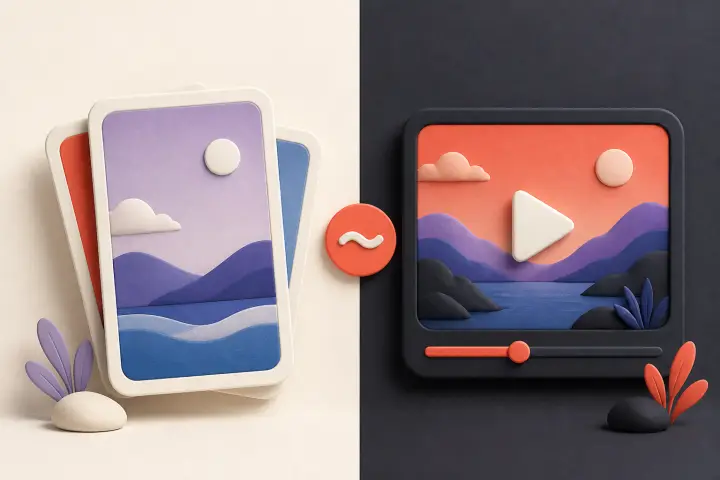
Photo carousels and short-form video ask different things of a product marketing team. The most useful choice depends on the story, the production workflow, and what the audience needs to understand.
How the Formats Differ
| Consideration | TikTok Slideshows | Short Video |
|---|---|---|
| Often useful for | Step-by-step ideas and visual lists | Demos, personality, and motion |
| Production inputs | Copy, licensed images, and sequencing | Footage, editing, and sound |
| Review focus | Clarity and continuity across slides | Pacing, audio, and visual flow |
| Measurement | Swipes, completion, saves, shares, and conversions | Watch time, completion, shares, and conversions |
A Simple Format Decision Rule
Ask what information disappears if the post is static. If the answer is motion, voice, timing, physical demonstration, or emotional delivery, make a video. If nothing essential disappears—and the reader benefits from pausing, comparing, or returning to individual points—a slideshow may be the clearer format. Production convenience is a secondary consideration, not the first decision.
- Choose a slideshow for checklists, frameworks, comparisons, annotated screenshots, and ordered explanations.
- Choose video for live product behavior, physical technique, transformation over time, dialogue, and personality-led stories.
- Choose both when the idea has a visual demonstration and a referenceable checklist; let each version do a different job.
- Skip the idea in either format when the available evidence cannot support its promise.
The Same Idea in Both Formats
Consider a calendar app explaining how to avoid double-booking client calls. The core lesson is identical, but the formats should not be copies of one another.
| Story beat | Slideshow version | Video version |
|---|---|---|
| Hook | 3 checks before opening another booking link | Show two overlapping calendar events as they appear |
| Context | One slide names the common setup mistake | Narration explains how the conflict happened |
| Teaching | One check per slide for easy reference | Screen recording demonstrates each setting |
| Product role | A labeled screenshot and a limited claim | The feature working in real time |
| CTA | Save the checklist or inspect the setup guide | Try the setup while following the demonstration |
How to Compare Audience Response
TikTok says recommendations consider several signals, including whether people watched, liked, shared, or commented on similar posts. It does not publish a universal weighting that makes one signal or format the winner. Compare formats on the same account using consistent topics, then review both platform engagement and downstream outcomes such as profile visits or sign-ups.
Run a Fair Format Test
- 1.
Choose comparable ideas
Use topics with the same audience, awareness level, evidence, and intended action. Do not compare a strong tutorial video with a generic slideshow list.
- 2.
Define success first
Pick the business-relevant signal before publishing: completed views, saves, profile visits, link clicks, trials, or another observable action.
- 3.
Publish several matched pairs
One post is an anecdote. Repeat the comparison across multiple ideas and normal publishing windows before treating a pattern as useful.
- 4.
Record production cost
Track drafting, filming, sourcing, editing, review, correction, and publishing time—not just rendering time.
- 5.
Make a narrow decision
Conclude which format fit that audience and type of idea, not which format universally wins on TikTok.
Production Workflow
Video may require footage, audio, editing, and captions; a slideshow may require copy, licensed imagery, sequencing, and readability checks. Automation can reduce repetitive assembly, but generation and human review still take time. Measure your own production time instead of assuming one format always has better ROI.
| Cost to record | Slideshow | Video |
|---|---|---|
| Source preparation | Claims, outline, and visual brief | Script, shot list, and location or screen setup |
| Production | Image sourcing or creation and slide assembly | Filming, recording, editing, captions, and sound |
| Quality control | Continuity, legibility, rights, and claims | Pacing, audio, cuts, captions, rights, and claims |
| Reuse | Individual slides may become references or documents | Clips may become shorter edits, GIFs, or demonstrations |
Final Verdict: When to Use Which
Use video when motion, voice, or a live demonstration carries the idea. Use a slideshow when readers benefit from controlling the pace of a list, explanation, or visual sequence. Test both where the choice is unclear.
A practical monthly mix can assign formats by job: video for product behavior and founder explanation; slideshows for checklists, comparisons, and reusable education. Review the mix monthly. If slideshows attract saves but few qualified actions, improve the product bridge. If videos attract attention but are too expensive to sustain, narrow the format or use fewer, stronger demonstrations.
Format Selection FAQ
Do TikTok slideshows get more reach than videos?↓
There is no universal answer. Aggregate studies and individual accounts can show different patterns. Compare matched content on your own account and include downstream outcomes.
Can I turn still images into a video and call it the same test?↓
Not exactly. An auto-advancing video changes pacing and interaction. Treat native photo posts, image-based videos, and live-action videos as different executions.
Which format is easier to automate?↓
Slideshows often have more repeatable assembly, while video may depend on motion, performance, and audio. Both still require source, rights, factual, and publishing review.
Test Product-Focused Slideshows Today
Build your first batch of automated carousels and schedule the next ones with Slizo.
Open SlizoSources and verification
Platform behavior, research, and features can change. These sources were checked on September 2, 2026.