Design & Aesthetics
Pinterest Moodboards and Licensed Images for TikTok Carousels
Use moodboards for direction, publish only authorized assets, and keep every slide readable.
By Rachel, Founder and product editor · 9 min read · Published July 25, 2026 · Reviewed September 2, 2026
Key takeaways
- A repeated palette, lighting style, and level of visual detail can make a carousel feel coherent.
- A Pinterest board can guide a visual direction, but a pin is not proof that you may republish its image.
- Use a dark overlay when needed to keep white typography legible on mobile screens.
Quick answer
Quick answer
Use Pinterest to define a visual direction—not as a library of images to download and repost. Extract recurring traits such as palette, lighting, subject, texture, and framing, then source original or properly licensed assets that match the brief. Test every slide at phone size and record where each published image came from.
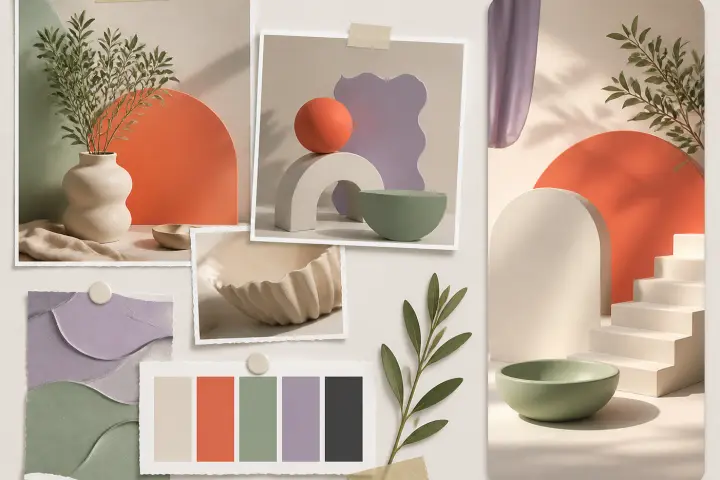
Pinterest is useful for discovering visual patterns: warm window light, tight product crops, muted greens, grainy film texture, or generous empty space. It is not evidence that an image is free to reuse. The safe workflow is to study a collection, translate the repeated traits into a brief, and create or license new assets that satisfy that brief.
A Moodboard Is Not an Image Library
A pin may be an upload, a saved image from another site, or a copy that has lost its original context. Pinterest's copyright guidance says permission should be sought from the copyright holder when necessary and notes that Pinterest cannot identify the owner of a given Pin for you. Saving an image to a board, crediting the account that pinned it, or adding a filter does not by itself give you publishing rights.
Write a Five-Part Visual Brief
| Constraint | Example decision | Why it matters |
|---|---|---|
| Palette | Cream, charcoal, one coral accent | Makes the sequence feel related |
| Lighting | Soft side light, no hard flash | Creates a consistent mood |
| Subject | Hands, notebooks, and laptop details | Keeps imagery connected to the topic |
| Framing | One focal object with empty space above | Leaves room for readable copy |
| Texture | Subtle grain, low background detail | Adds character without competing with text |
These constraints should describe the visual system, not a specific creator's image. Avoid instructions such as ‘copy this exact photo’ or ‘make it in this living artist's style.’ The brief should be usable by a photographer, designer, licensed-stock search, or image generator without depending on someone else's composition.
Moodboard Search Prompts by Niche
- SaaS and tech: ‘minimal desk side light neutral palette’, ‘laptop detail empty copy space’, ‘dark workspace warm accent’.
- Productivity: ‘morning desk soft shadows’, ‘paper planner overhead neutral’, ‘quiet library natural light’.
- Finance education: ‘receipt calculator overhead clean’, ‘budget notebook muted green’, ‘phone spreadsheet desk detail’.
- Wellness: ‘walking shoes morning light’, ‘water bottle soft blue background’, ‘calm bedroom window light’.
- For every search, save the traits you like—not the file you plan to publish.
Source Images You May Publish
- 1.
Create the image yourself
Use your own photography, screenshots, diagrams, or product mockups and keep the original files.
- 2.
Commission the asset
Agree in writing on ownership or the license, platforms, duration, paid usage, and editing rights.
- 3.
Use licensed stock
Read the actual license for commercial social use, modification, attribution, people, trademarks, and redistribution.
- 4.
Generate a new asset
Check the provider's current commercial terms and review the output for recognizable brands, people, or copied-looking material.
- 5.
Ask the rights holder
Get explicit permission that covers the intended account and use; a casual credit is not a substitute.
Build a Cohesive Slide Sequence
Consistency does not mean using six nearly identical desk photos. Keep the palette, lighting, and treatment stable while changing the scene to support each point. A checklist about client onboarding might move from an email screen, to a calendar detail, to a document folder, to a call setup. The subject changes; the visual grammar does not.
- Alternate wide, medium, and detail shots so the sequence has rhythm.
- Reserve a consistent area for the headline or body copy.
- Use one overlay strength and text hierarchy unless contrast requires an adjustment.
- Avoid decorative images that imply a fact the slide does not support.
- View all slides together before judging any single image.
Ensuring Text Readability & Overlays
Slizo applies a dark overlay between the image and text layers to improve contrast, but an overlay cannot rescue every background. Preview the slide at the size of a phone, not only on a desktop canvas. Check the smallest line, high-detail areas behind letters, line breaks, edge spacing, and whether interface controls could cover essential text. If the copy needs an extreme shadow or heavy overlay to survive, choose a quieter image.
A Worked Visual Example
Suppose the carousel is ‘Four places a freelance invoice gets stuck.’ The moodboard suggests warm neutrals, paper texture, overhead framing, and one red annotation. The final publishable set could use your own photographs of a blank invoice, an email draft, a calendar, and a bank-notification screen. Each image leaves the upper third quiet for text. The red accent appears only on the mistake being discussed. The result follows the direction without reposting any pin.
Keep a Simple Asset Ledger
| Record | What to store |
|---|---|
| Asset ID | A stable filename or internal identifier |
| Origin | Photographer, stock page, generator, or permission contact |
| Rights | License type, receipt, contract, or permission message |
| Restrictions | Attribution, edit, region, paid-media, or expiry terms |
| Published use | Post, date, account, and whether it was used in an ad |
Common Visual-Sourcing Mistakes
- Downloading a pin because the board or uploader looks legitimate.
- Assuming attribution creates permission.
- Mixing unrelated lighting and color treatments across six slides.
- Choosing a beautiful image with no quiet space for the message.
- Using a stock photo with recognizable people or brands without checking the relevant restrictions.
- Keeping no record of the license after the post is published.
Image-Sourcing FAQ
Can I repost an image if I credit the Pinterest account?↓
Credit and permission are different. Identify the copyright holder and obtain the rights needed for your use when required.
Can I copy the layout of a pin with a different image?↓
Use broad visual principles and common layout conventions, but avoid reproducing a distinctive composition or creative work. Create an original layout around your own brief.
Do I need six completely different images?↓
No. You need enough variation to support the story. One original shoot or licensed collection can work well when framing and subjects change across the sequence.
Does Slizo verify image rights for me?↓
No automated workflow can replace your rights review. Confirm the origin, applicable terms, and final use before publishing.
Experience Beautiful Slide Designs
Generate a 9:16 carousel pack, then review its images, rights, contrast, and copy before publishing.
Open SlizoSources and verification
Platform behavior, research, and features can change. These sources were checked on September 2, 2026.